USPS – April 25, 2014
Beginning April 28, employees must use new, more secure passwords to access the LiteBlue website and online Human Resources self-service applications, including PostalEASE,eReassign, eIDEAS and eOPF. 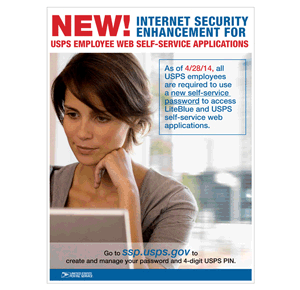
A letter with a temporary password and instructions on creating a new password was mailed to each employee’s address of record. Employees who do not have this letter may go to ssp.usps.gov to request another temporary password.
Employees who conduct HR transactions over the telephone may continue using their current 4-digit USPS Personal Identification Numbers (PINs) and Employee Identification Numbers (EINs).
If you have questions, call the HR Shared Service Center at 877-477-3273 and press option 5.
PLEASE NOTE: We cannot address problems with your PIN or logins – you would need to ask your postal management for help. PEN
i received letter with temporary password,but i am unable to sign in because i get an invalid response each time. please send a new temp. password.
Mathis – we are not the official USPS…you would need to ask your postal management.
Can’t get mine changed! Don’t know what I’m doing wrong.
I’m trying to set mine up. It’s April 27th. My old pin does not work anymore and the new website does not work either. I cannot access postalease and of course there is no support available to assist in helping. I can’t log in and will have to spend at least 30-45 minutes on the phone with HR to get it fixed on Monday, which I will not have or given the the time for. I wonder how much money was spent to change this into a broken system.
the ssp.usps.gov does not work no such website, temp password doesnt work on liteblue. cant access anything to change the password. help!!!
it wont get upload for ssp.usps.gov
Did you look in the upper right hand of your letter?
Requesting temporary pin #
Received “How To” letter to set up pin, but did not receive a letter with the temporary pin.
Linda – we cannot provide any PINs for postal employees – only USPS can do that.